

Ecommerce Website Features Checklist for Shopify and WooCommerce | Devvys
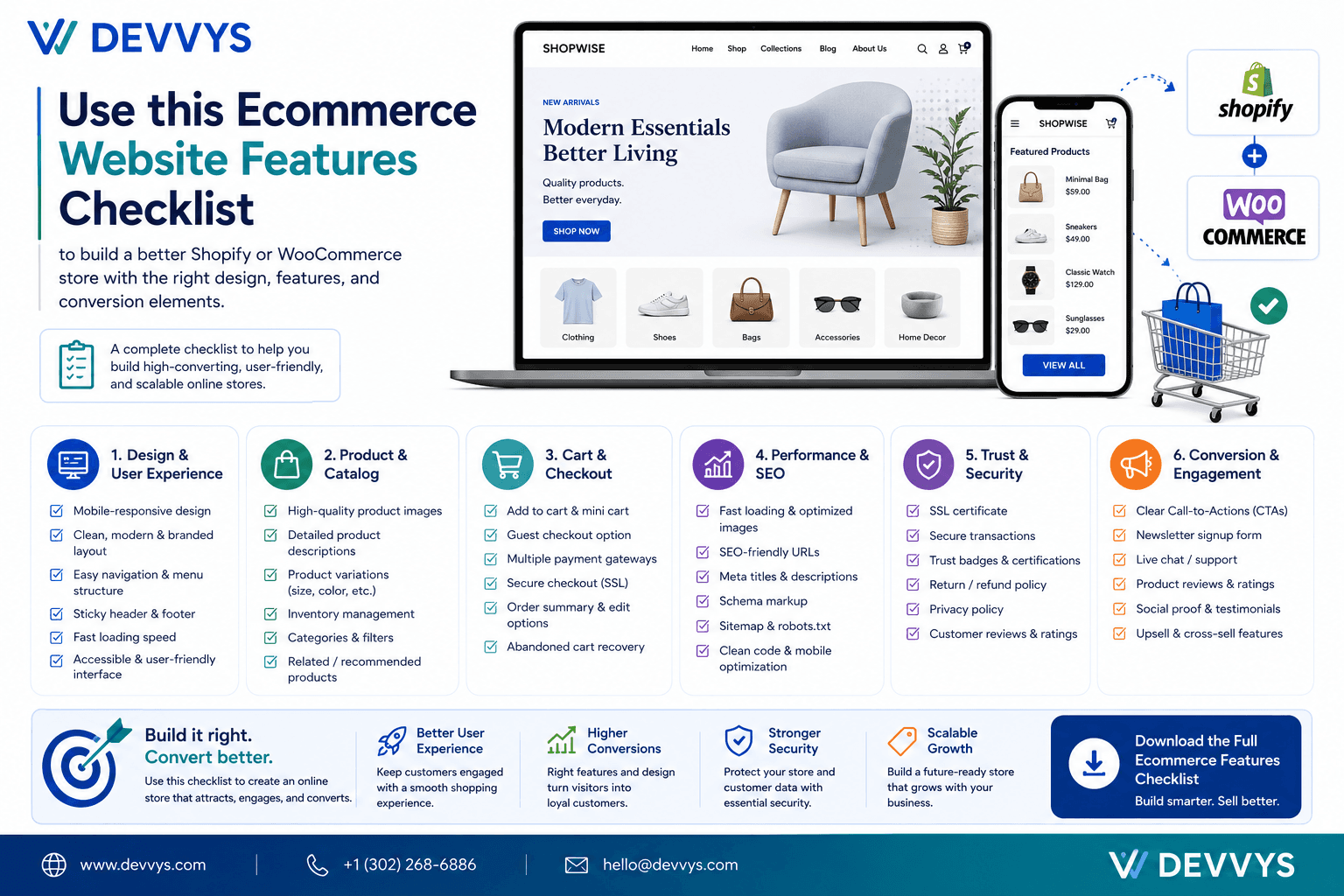
Building an ecommerce website is more than selecting a platform and uploading products. Whether you choose Shopify or WooCommerce, your store needs the right features to create a smooth shopping experience, build trust, and support sales. That is why an E-commerce Website Features Checklist is so important. It helps businesses make sure they do not miss the essential elements that every successful online store needs.
At Devvys, we believe a strong ecommerce site should combine good design, smart functionality, and a clear customer journey. A store built on Shopify may offer simplicity and speed, while a WooCommerce store may provide more flexibility and customization. But no matter which platform you choose, the core features that drive results are still the same.
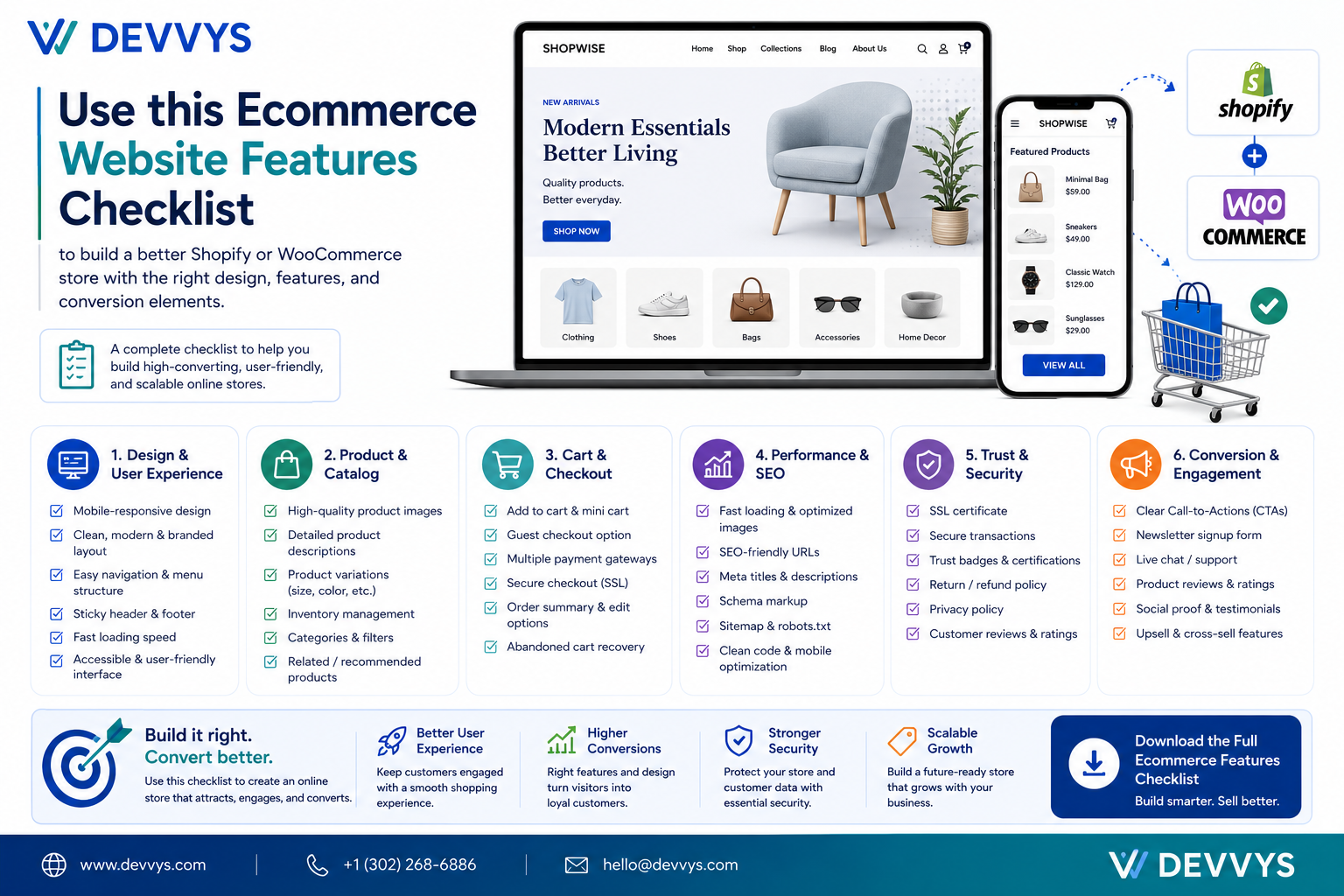
This checklist will help you plan a better store, whether you are building on Shopify, WooCommerce, or comparing both platforms for your business.
Clear Navigation and Site Structure
A successful ecommerce website should be easy to explore. Customers should be able to find products, categories, and helpful information without confusion. Good navigation is one of the most important parts of any ecommerce store on Shopify or WooCommerce.
Why It Matters
If visitors cannot find what they need quickly, they may leave before making a purchase. A clear structure improves usability and helps customers move through the site with confidence.
What to Include
Main menu.
Category pages.
Search functionality.
Filters and sorting options.
Footer links for support pages.
Shopify and WooCommerce Note
On Shopify, navigation is often easier to set up because the platform is more structured. In WooCommerce, navigation can be highly customized, especially when paired with WordPress. Both platforms can support excellent site structure when planned well.
High-Quality Product Pages
Product pages are where buying decisions happen. Every ecommerce store needs strong product pages that give customers the information they need to feel confident about purchasing.
Why It Matters
A weak product page can create doubt, while a well-designed one can improve conversions.
What to Include
Clear product images.
Product descriptions.
Pricing.
Variant options.
Reviews.
Shipping details.
Return policy notes.
Shopify and WooCommerce Note
Both Shopify and WooCommerce support strong product pages, but WooCommerce often allows more custom page design, while Shopify offers a more streamlined experience. The best choice depends on how much control your business wants.
Mobile-Friendly Design
Most online shoppers browse on mobile devices, so mobile optimization is no longer optional. Your store should work well on phones and tablets, regardless of whether it is built on Shopify or WooCommerce.
Why It Matters
If the site is hard to use on mobile, customers may abandon it before they buy. Responsive design improves accessibility and increases conversions.
What to Include
Responsive layouts.
Readable text.
Easy-to-tap buttons.
Mobile-friendly menus.
Fast mobile checkout.
Shopify and WooCommerce Note
Many Shopify themes are mobile-ready out of the box, which makes setup easier. WooCommerce can also be mobile-friendly, but it often depends more on the theme and customization quality.
Simple and Secure Checkout
The checkout experience is one of the most important parts of any ecommerce website. Whether you use Shopify or WooCommerce, the checkout process should be easy, secure, and fast.
Why It Matters
A complicated checkout can lead to cart abandonment. The smoother the process, the more likely customers are to complete their orders.
What to Include
Guest checkout.
Secure payment options.
Minimal form fields.
Shipping and tax clarity.
Trust signals.
Shopify and WooCommerce Note
Shopify is known for its easy and reliable checkout flow. WooCommerce can also create a strong checkout experience, especially with the right plugins and optimization. The key is to remove friction.
Search and Filtering Tools
Good search and filtering features help customers find exactly what they want. These tools are especially useful for stores with larger product catalogs.
Why It Matters
Customers who can search efficiently are more likely to stay engaged and buy.
What to Include
Keyword search.
Filter by size, color, category, or price.
Sort options.
Fast result display.
Shopify and WooCommerce Note
Both platforms support search and filters, but WooCommerce may allow more advanced custom filtering. Shopify also offers strong search tools and app-based enhancements.
Trust-Building Elements
Customers buy more confidently when they trust the store. Every ecommerce website should include features that build credibility from the first visit.
Why It Matters
Trust is one of the biggest factors in ecommerce conversion.
What to Include
Customer reviews.
Secure payment badges.
Clear return policy.
Contact information.
About page.
Social proof.
Shopify and WooCommerce Note
Both Shopify and WooCommerce stores can include trust elements easily. The difference is usually in how they are implemented and designed.
Fast Loading Speed
Speed matters in ecommerce. A slow store can lose customers quickly. Whether your store is on Shopify or WooCommerce, performance should always be part of the checklist.
Why It Matters
Faster websites keep users engaged and support better search performance.
What to Include
Optimized images.
Clean code.
Lightweight themes.
Reduced app overload.
Performance testing.
Shopify and WooCommerce Note
Shopify handles hosting and performance in a more controlled environment. WooCommerce gives you more freedom, but that also means speed depends more heavily on hosting, plugins, and optimization.
Analytics and Tracking
You cannot improve what you do not measure. Analytics help you understand how users interact with your ecommerce site and where improvements are needed.
Why It Matters
Data makes it easier to make smarter decisions and improve sales over time.
What to Include
Traffic tracking.
Conversion tracking.
Cart behavior analysis.
Product performance data.
Source reporting.
Shopify and WooCommerce Note
Both Shopify and WooCommerce support tracking tools. Shopify offers built-in simplicity, while WooCommerce may give more flexibility for advanced tracking setups.
Final Thoughts
A strong Ecommerce Website Features Checklist helps businesses build stores that are ready to convert and grow. Whether you choose Shopify or WooCommerce, the most important thing is to make sure your store includes the features customers expect.
At Devvys, we focus on ecommerce websites that combine usability, trust, and performance. The right platform matters, but the right features matter even more. When those features are in place, your store becomes easier to use, easier to manage, and more effective at driving sales.